KIKA
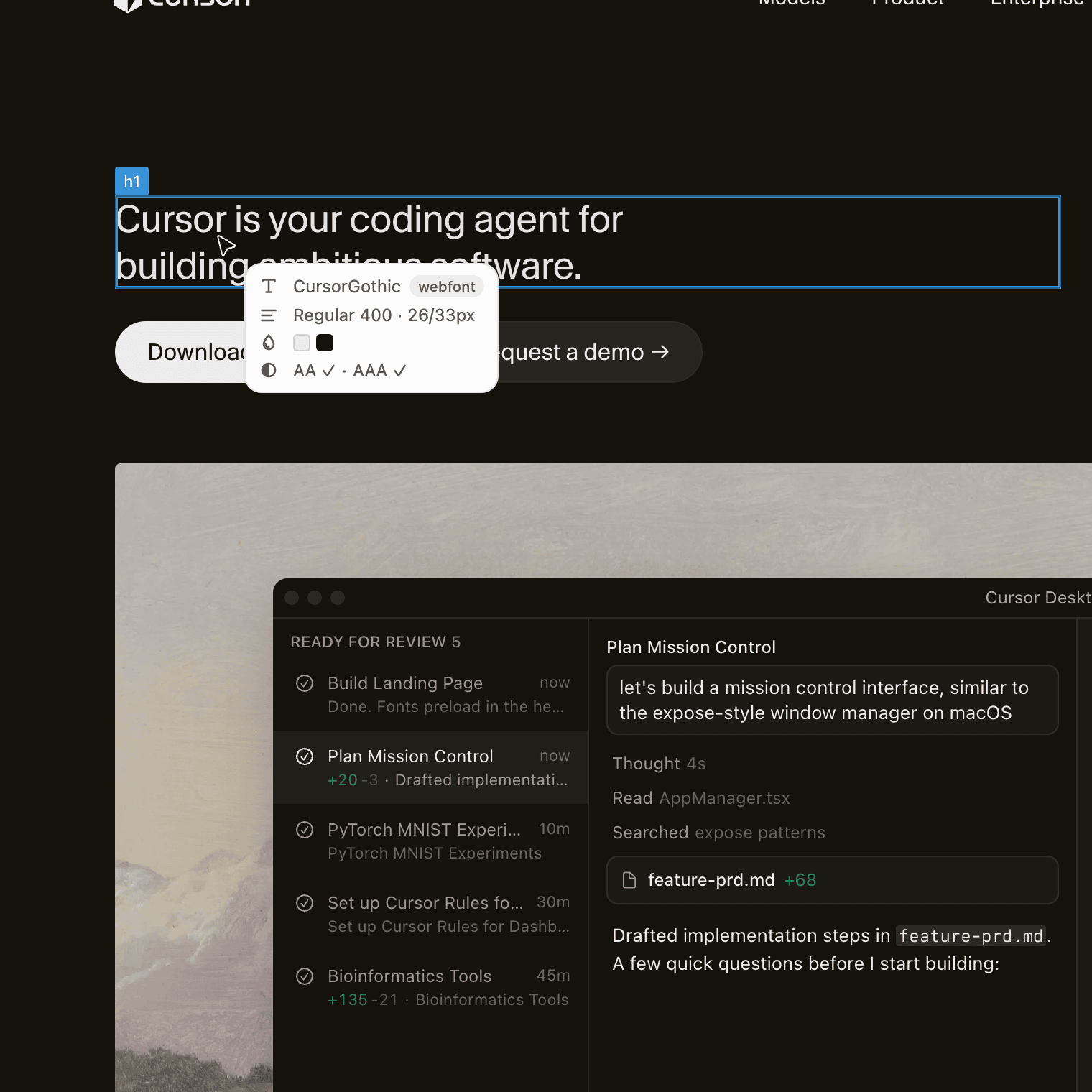
Kika is Swedish for “to peek.” KIKA is a browser bookmarklet that lets designers and developers hover any text on a page and instantly see its typography and colors.
What it does
- Hover any element to see its font, size, weight, line-height, text color, and background color
- Check WCAG contrast (AA and AAA) against the resolved background
- Click an element to pin the panel, then copy individual values or a full CSS block
- Press Esc to exit - once while hovering, or twice if the panel is pinned
KIKA runs entirely in your browser. It does not send data anywhere.
Install
- Just drag that button below to your bookmarks bar
- Open any website and click the bookmark
- Hover text to inspect